
Built around real repair and custom project workflows
Proof, from the moment a job arrives.
Jewelry and watches are valuable, financially and emotionally. When a customer picks up their piece and notices a scratch, the question of when it happened can become a difficult conversation with no clean resolution. Without documentation, it's your word against theirs.
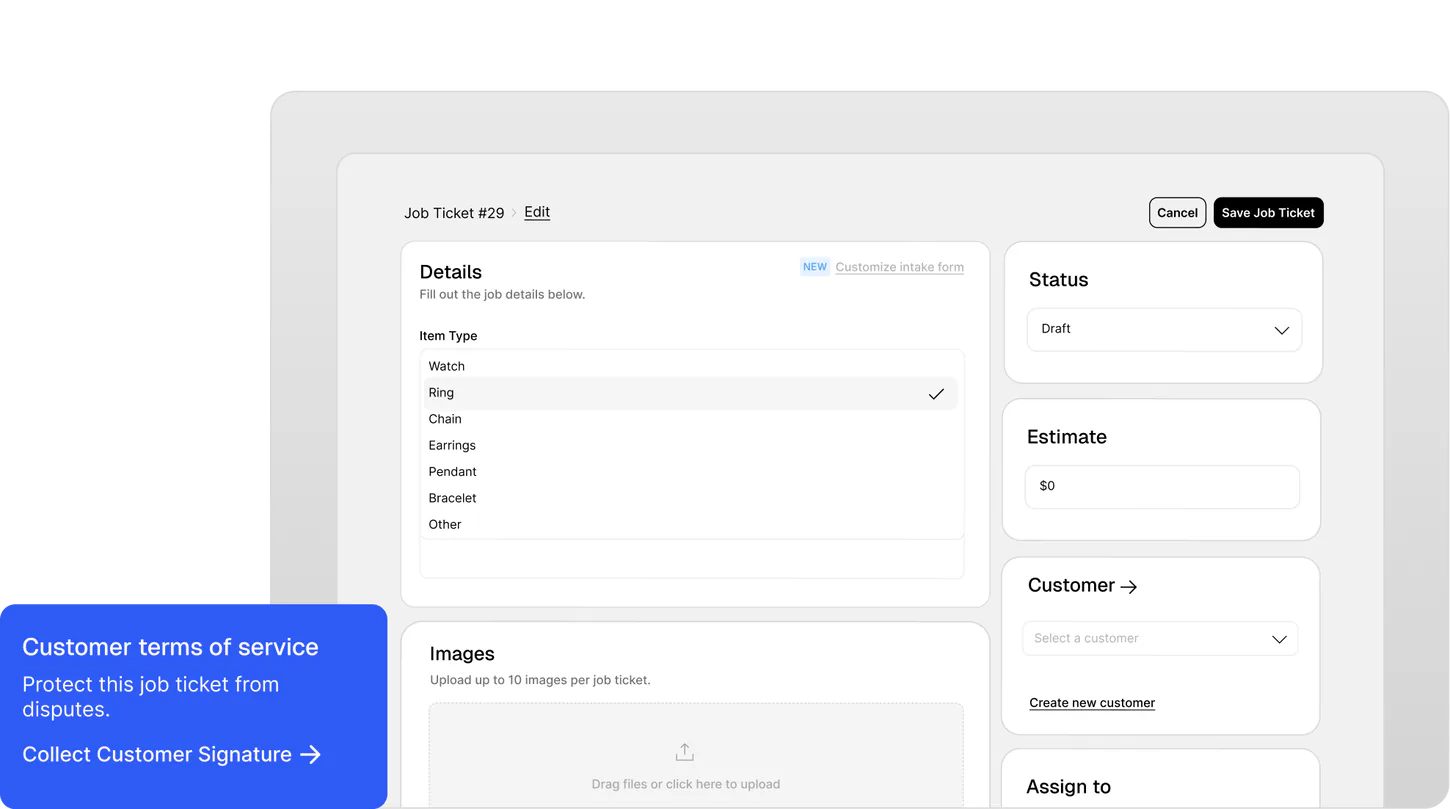
Workbench makes photo capture and waiver signing part of the intake flow. Take photos when a job comes in and when it goes out. Every image is permanently attached to the job record and accessible in seconds if you ever need to show it.
- Capture photos and waivers at intake and at job completion
- Timestamped and attached directly to the job record
- Accessible instantly. No hunting through camera rolls
- Documents pre-existing condition and finished state
Capture all the important details. Miss nothing.
A paper slip with half-legible handwriting. A spreadsheet that doesn't have a column for the thing that matters this time. A job bag with a note stuffed inside that nobody reads. Every shop has a version of this — and eventually, something falls through the cracks.
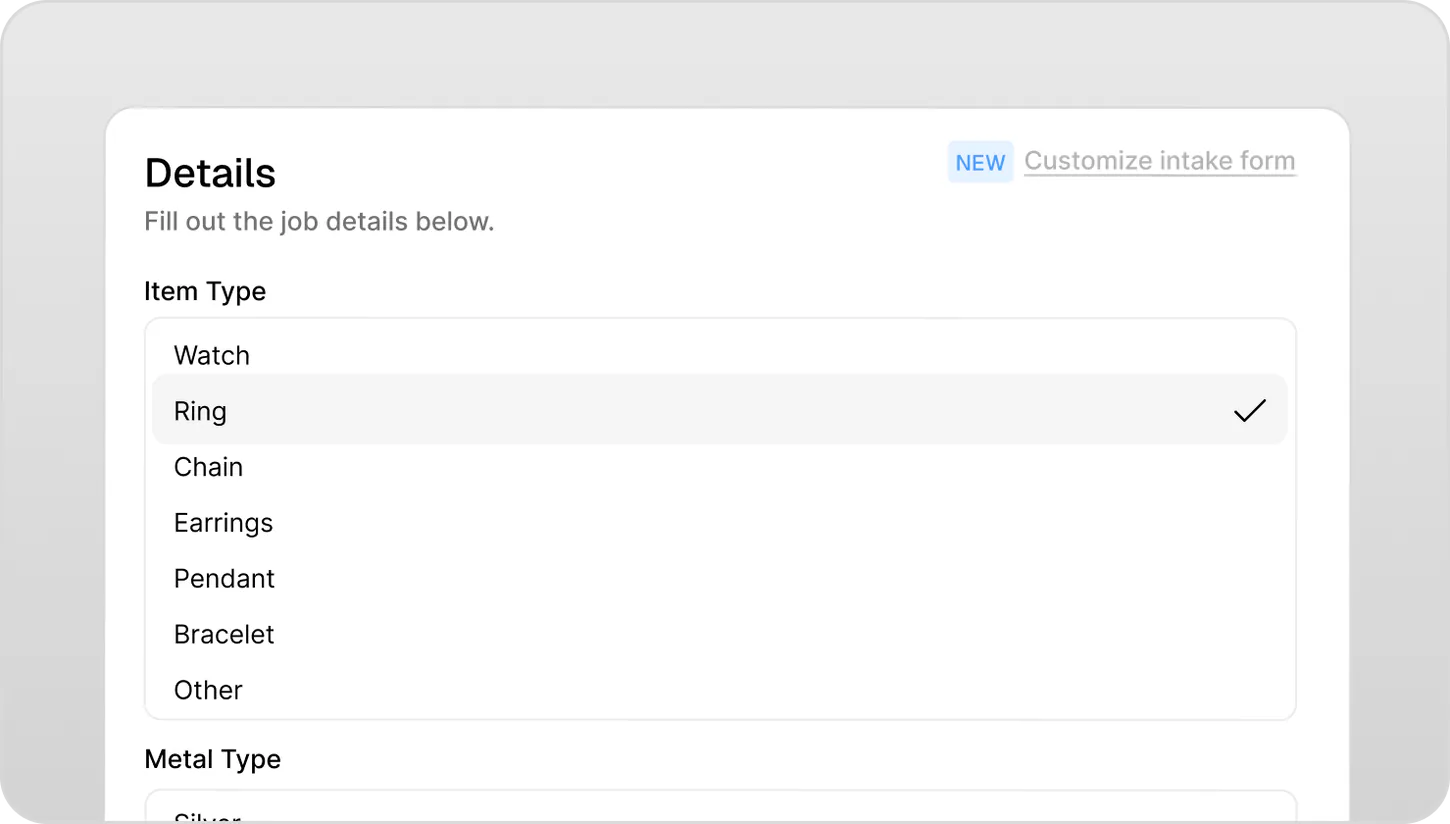
Workbench gives you a customizable intake form so every job comes in the same way, with the details that matter to your shop captured upfront. No freeform guessing, no missing fields. Every detail is searchable, printable, and attached to the job permanently.
- Customizable intake form fields to match your shop's workflow
- Ensure the same details are captured on every job, every time
- Search and pull up any job's details instantly
- Print job tickets with full details for job bags and benches
- No lost slips, damaged paper, or unreadable handwriting
No more phone tag with your customers.
A repair that takes a week shouldn't require four check-in calls. But when customers have no visibility into where their piece is, they fill the silence themselves — and your front desk pays for it.
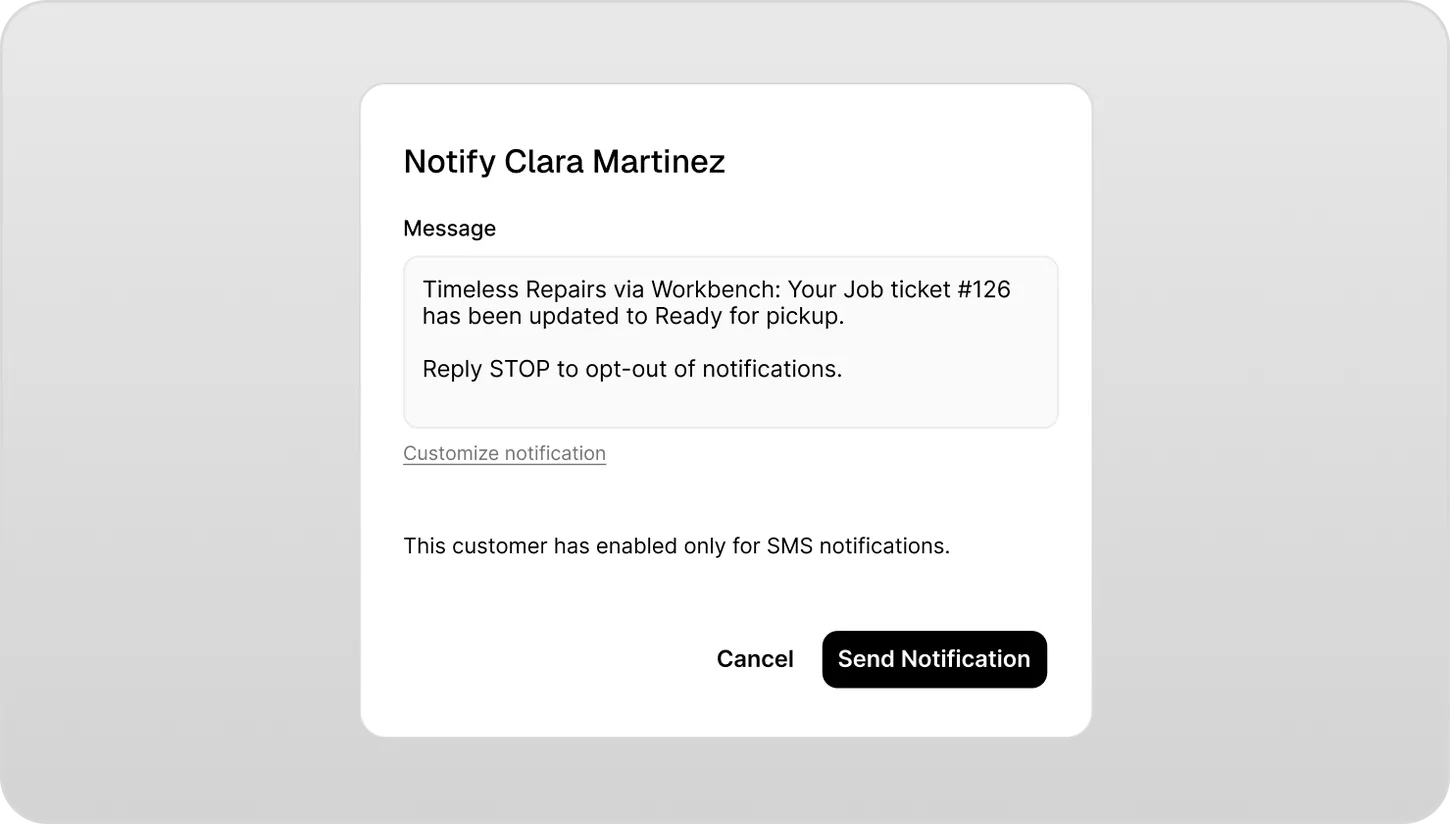
When a job status changes in Workbench, the customer gets notified automatically by SMS or email. No extra step for your team. Customers stay informed without you having to reach out manually — and without them having to call.
- Automatic notifications triggered by job status changes
- Sends via SMS, email, or both — set per customer
- Fully bilingual — English and French
- Customizable message templates
- Fewer incoming calls and walk-ins for updates
Your whole team, finally on the same page.
Three technicians, two part-timers, and one counter person — and no one knows who has what. Post-it notes fall off job bags. Verbal handoffs get forgotten. Important details live only in someone's head.
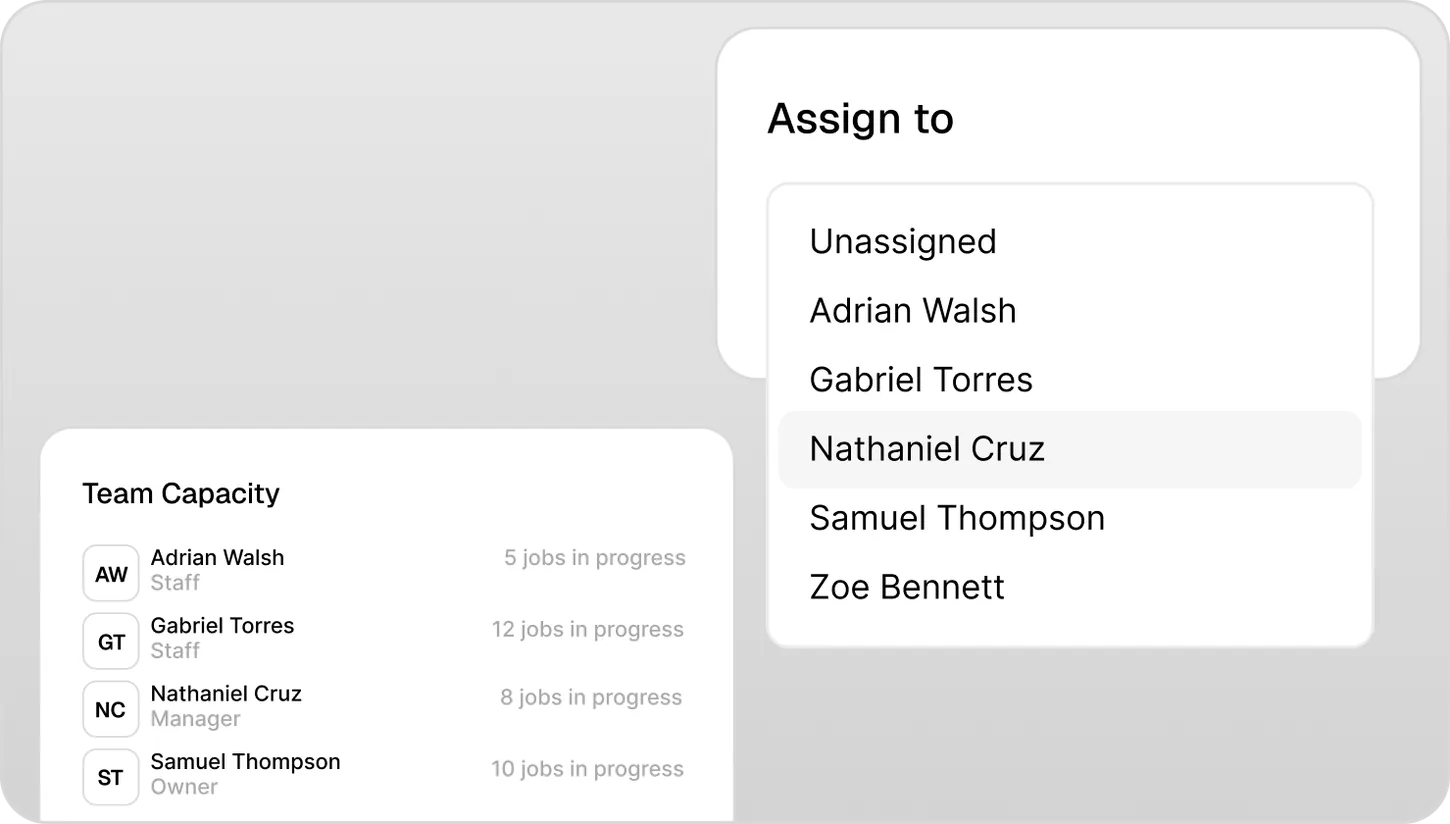
Workbench gives each job a clear owner. Assign work to a specific technician, leave internal notes visible only to your team, and print job tickets that physically travel with every piece through your shop.
- Assign jobs to any team member
- Internal notes — visible to your team, not customers
- Printable job tickets for job bags and benches
- Add and manage all technicians in one place
- See every open job by technician at a glance
Eight years of repairs. Pulled up in three seconds.
A loyal customer walks in. They've been coming to you for years — but their history is split across three binders and two spreadsheets from when you changed systems in 2021. You spend five minutes looking while they wait.
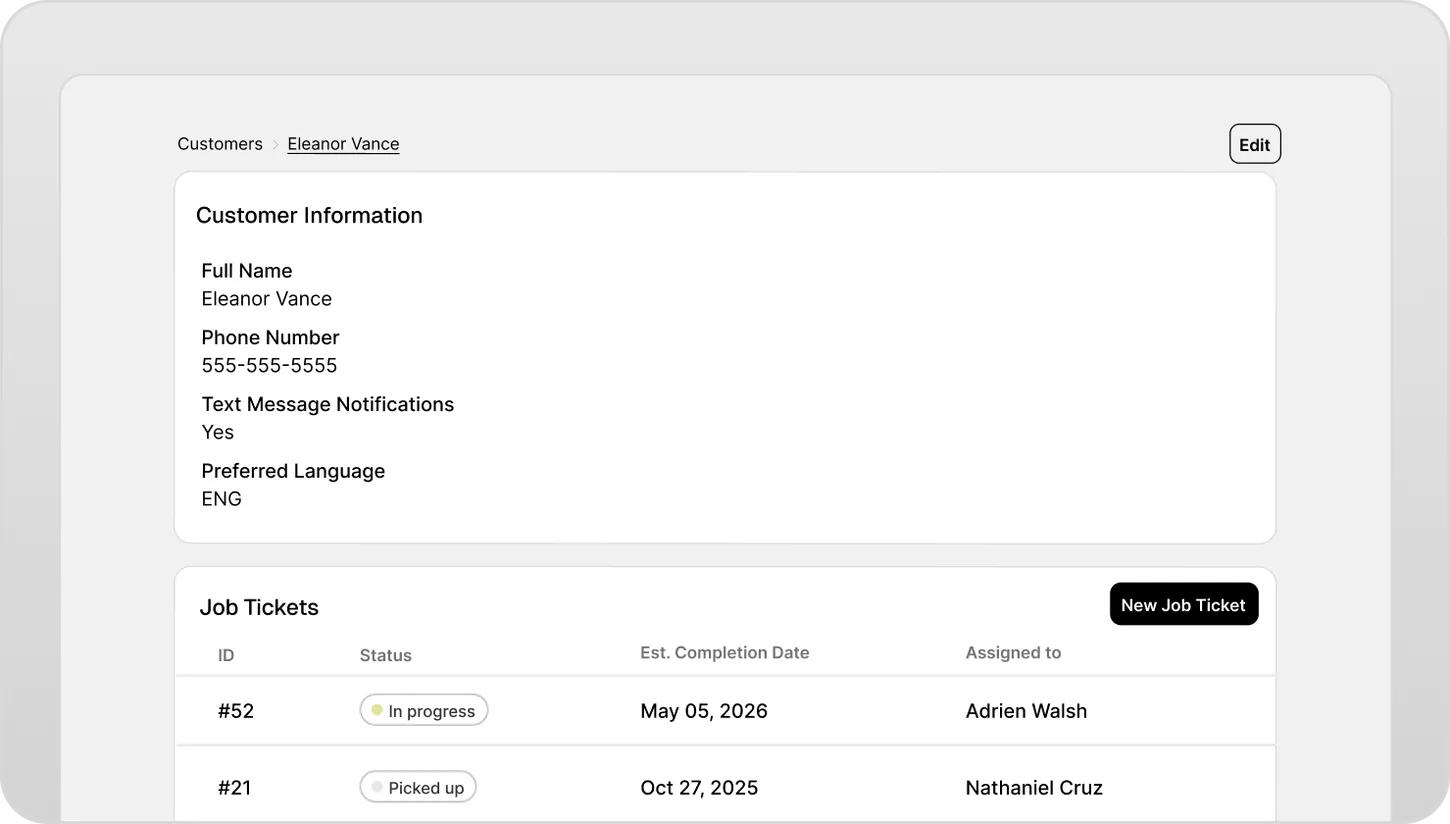
Every customer in Workbench has a permanent profile. Every job they've ever had, every note, every photo, every repair — in one place, searchable instantly. The full relationship is always a few keystrokes away.
- Complete customer profile with contact details
- Full repair history across every visit
- Previous job details, photos, notes, and pricing
- Searchable by name, phone, or job number
- Never start from scratch with a returning customer
See everything. Miss nothing.
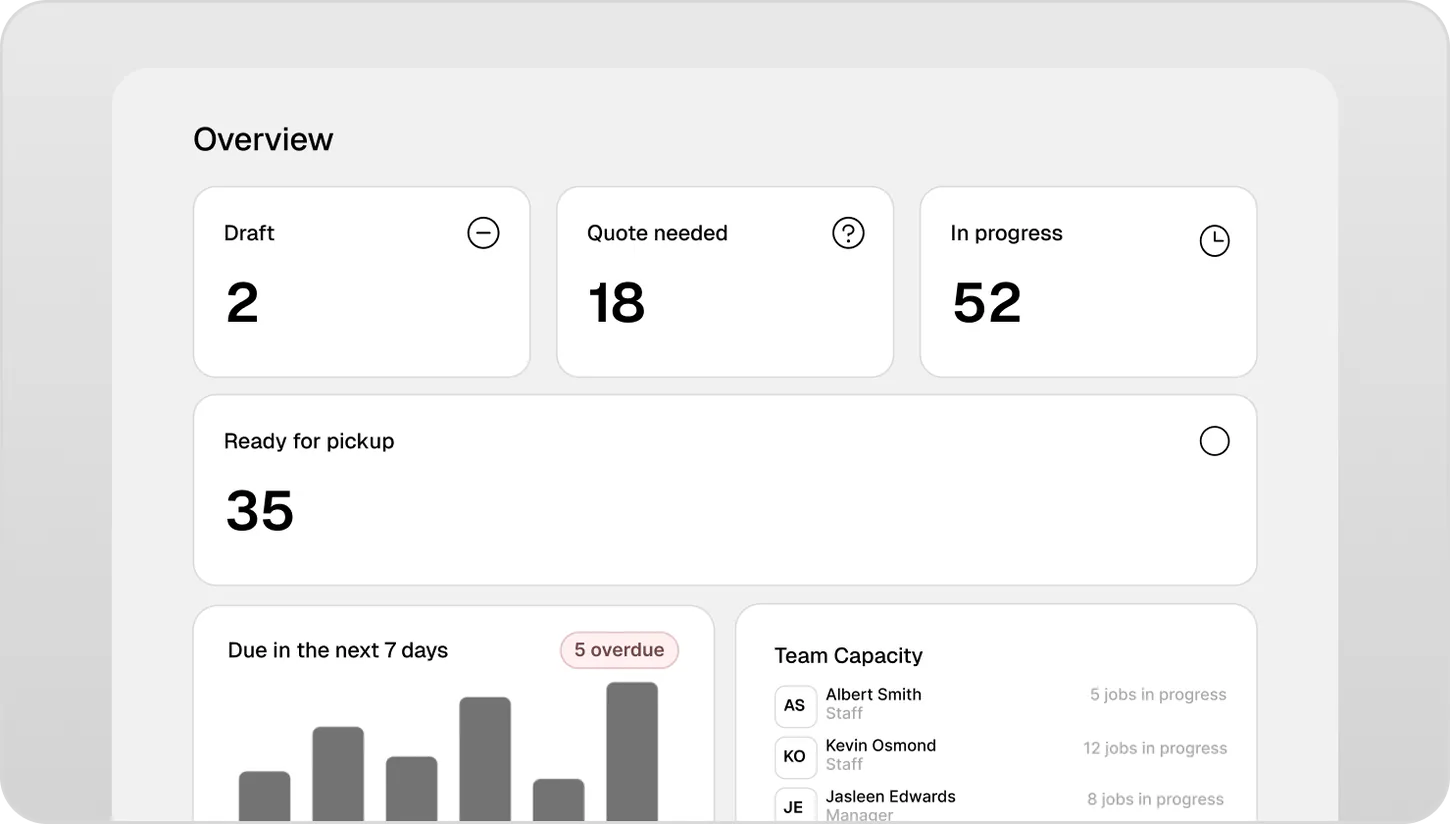
How many jobs are open right now? Which ones are overdue? Which technician has too much on their plate? Most shops can't answer those questions without spending 10 minutes going through their system — if they can answer them at all.
The Workbench dashboard gives you a live view of every active job — status, assigned technician, due date, and priority. Overdue jobs surface automatically. You see the whole shop in one screen, from anywhere.
- All active jobs visible in a single view
- Filter by status, technician, or due date
- Overdue jobs flagged automatically
- Works on desktop, tablet, and mobile
- No app install required — works in any browser
Ready to bring clarity
to your repairs and custom projects?
Try for free for 30 days. No credit card required.